Fake delivery fee
“Your parcel is waiting for a delivery fee. Pay today: parcel-redelivery.top”
A payment request, a parcel story and a link that no courier owns.
Fake parcel fees. A “bank” asking you to confirm a payment. A fine you never got. Scam texts are written to make you tap before you think. 1krBlocker checks every SMS on your phone first and moves scams, spam and phishing links into quarantine, with a plain-words “Why?” for every decision.
The app and its on-phone protection are free. Plans from $4.99 a month add AI Deep check, up-to-date scam knowledge and no ads.
Smishing (SMS phishing) works because the message looks routine and the link looks almost right. 1krBlocker looks at what the text asks you to do, where its link really goes and who sent it.
A payment request, a parcel story and a link that no courier owns.
Urgency, a request for your details and a look-alike login page.
A threat, a deadline and a payment link from an unknown sender.
Money you didn’t expect, a short deadline, a form that wants your card.
A new number, an emotional story and a request for money.
Anyone asking you to pass on a code is trying to take over an account.
Android lets only the default SMS app check messages before they reach you. 1krBlocker becomes a complete SMS and MMS app; your existing conversations stay.
The sender, the wording, the links and your own rules give each message a risk score. Analysis runs on the device and works offline.
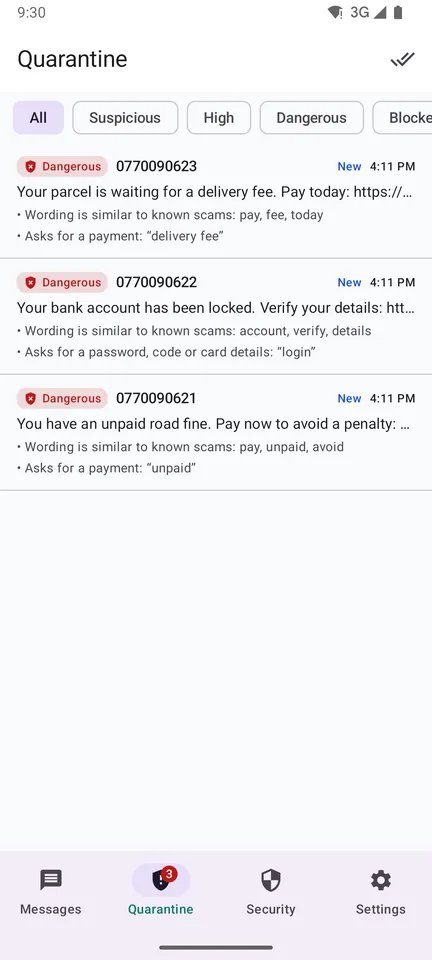
Suspicious texts wait in quarantine instead of pinging you. One calm summary a day; release anything genuine with one tap.
Suspicious messages are held back before you see them, not after you tapped.
See where a link really goes first: look-alike domains, punycode tricks and short links are flagged. Nothing opens without your confirmation.
Every verdict shows which words, which link and which rule, with the score behind it.
Block or allow by sender, keyword, link domain or pattern, with ready-made templates for parcel, bank and tax scams.
Block numbers and sender names; people you know get more trust, never blind trust.
Optionally add blocked numbers to Android’s block list, which stops their calls too.
Forward a scam text to 7726 (UK) or CERT Polska 8080 (PL), always with your confirmation.
See what was stopped, flagged or released today, this week and this month.
Files from unknown senders are never opened or passed to another app until you ask.
The free app already holds scams back. A plan adds an AI second opinion and the latest scam knowledge for the messages that are hard to judge, and protects the people you care about.
Tap Deep check on any suspicious text: in seconds our AI tells you what kind of scam it is and why. Numbers, e-mail addresses and names are hidden before anything is sent.
A knowledge pack of current scam campaigns, kept on your phone and updated, so new scams are recognised sooner.
Family covers three phones (2+1): look after your parents’ or children’s texts as well as your own.
Paid plans never show the sponsored card.
Every plan keeps the full on-phone protection. Prices are per month in US dollars; cancel any time and your plan runs to the end of the period you paid for.
Everything that runs on your phone.
For people with their own AI key.
Our AI. Nothing to set up.
Two parents and a child.
Secure checkout by our reseller (merchant of record), who also handles VAT. Plans are bought here, on the website, not in the app.
One minute with your e-mail address. Choose your plan and pay securely.
Get 1krBlocker from Google Play and make it your SMS app.
In the app open Settings → Account and enter the one-time code from your account. Your plan works at once.
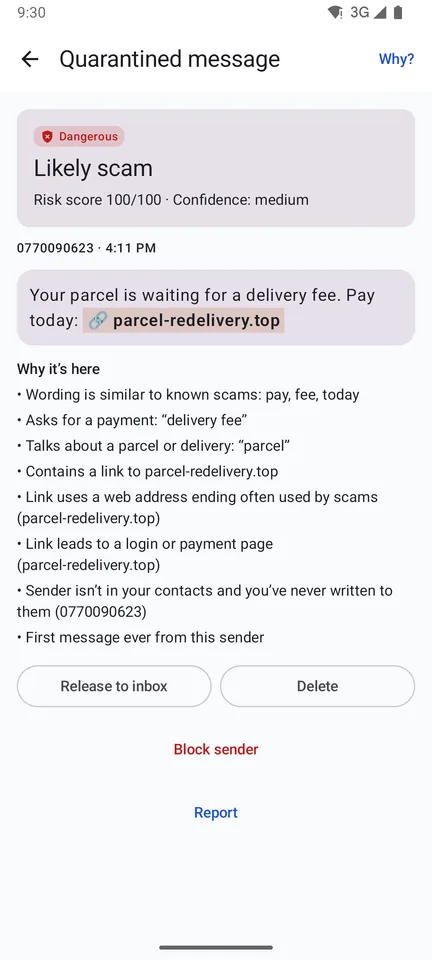
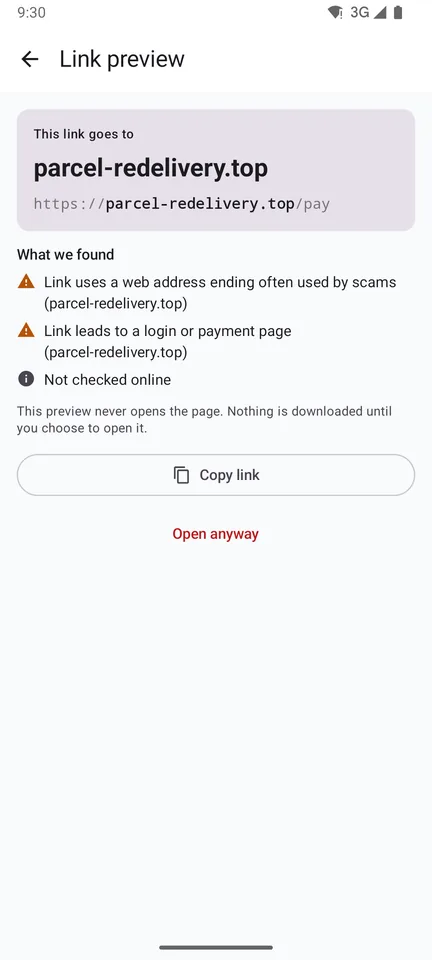
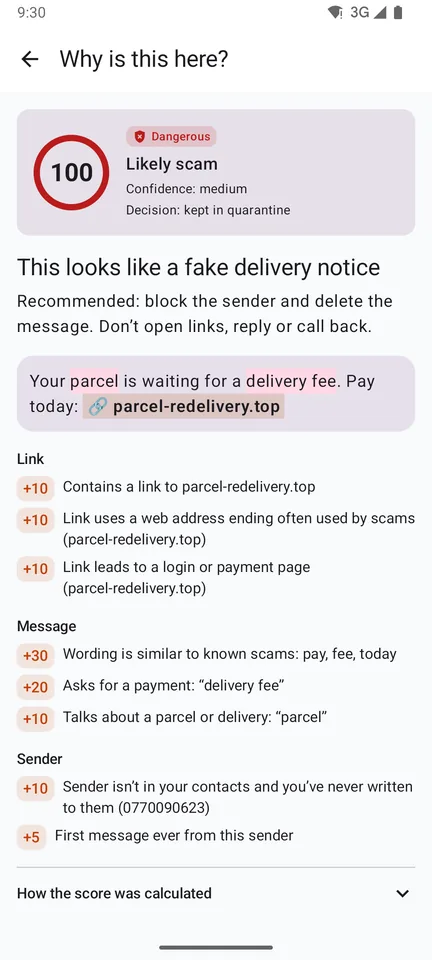
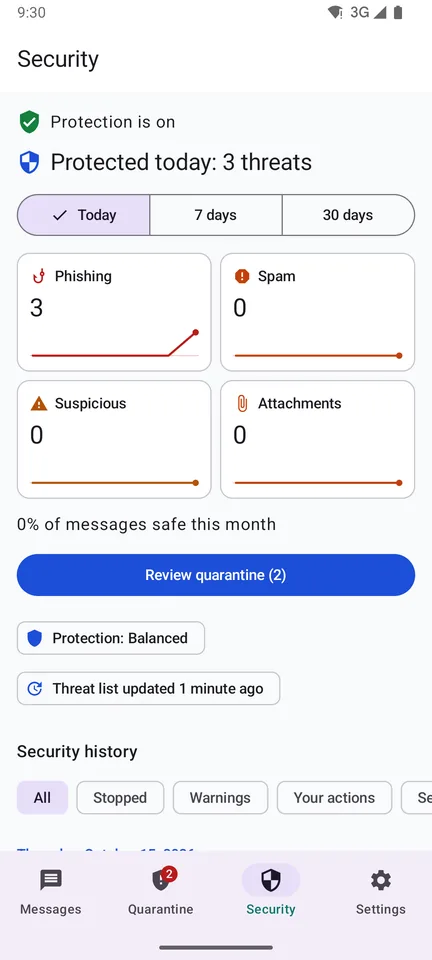
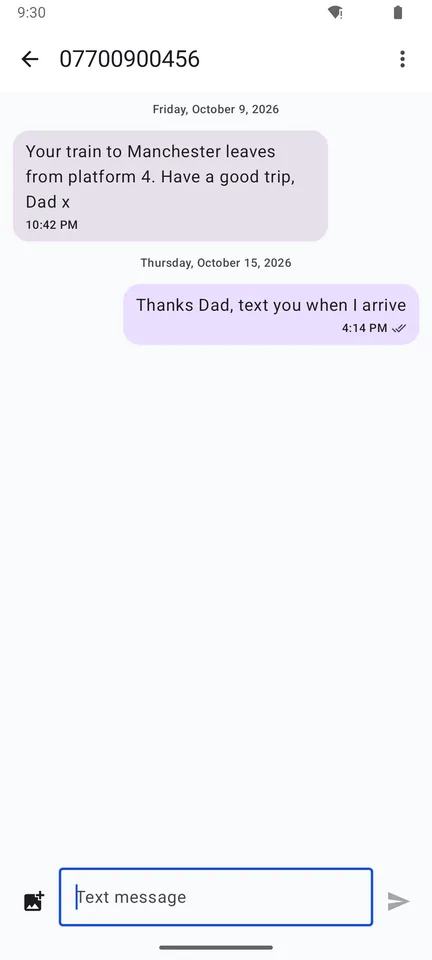
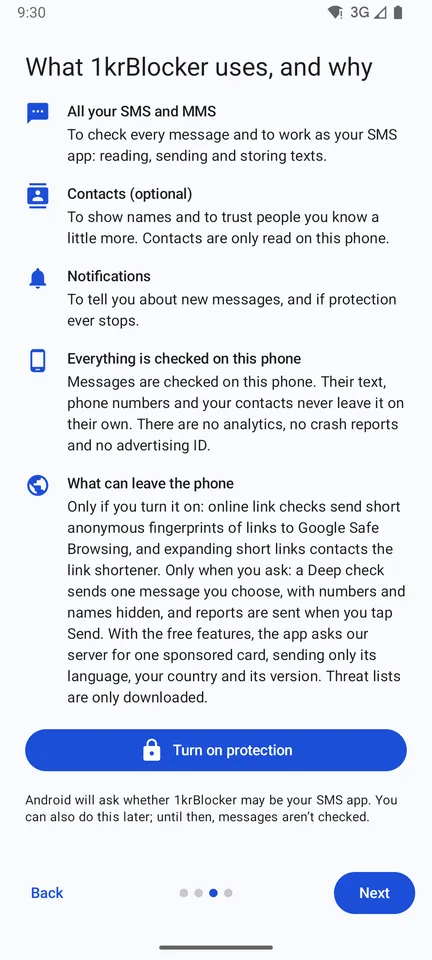
Screens from the app with made-up example texts.
A security app should not become a new risk. 1krBlocker is built so your texts never need to leave the device.
Read the privacy policySet it up once on a relative’s phone: scam texts wait in quarantine instead of arriving with a link to tap.
Fake bank, delivery and tax texts are held back, and links never open by accident.
Invoice, courier and “new account details” scams are flagged before anyone acts on them.
Install 1krBlocker and make it your default SMS app. From then on every incoming text is checked on your phone before you see it: scams, spam and phishing links go to quarantine, and links never open by accident.
Smishing is phishing by SMS: a text that pretends to come from a courier, a bank, the tax office or a relative and pushes you to tap a link, pay a fee or share a code. 1krBlocker looks for exactly these patterns.
It reads them on your phone, like any SMS app, to check them. Message text is not uploaded. It leaves the phone only if you forward, share or export it yourself, or ask for an optional Deep check of one message, and then you see exactly what is sent first.
Yes. The app and its on-phone protection, quarantine, link preview, rules and reports are free; the free version shows one labelled sponsored card. Plans from $4.99 a month add AI Deep check, an up-to-date scam knowledge pack, no ads and, with Family, three phones.
Create an account on this website, choose Starter, Plus or Family and pay securely. Then link your phone in the app with a one-time code. Plans are bought on the website, not in the app.
Yes. Cancel in your account under Billing; your plan keeps working until the end of the period you paid for.
Yes, while 1krBlocker is your default SMS app: Android doesn’t let other apps use RCS, so typing indicators and read receipts turn off. Your conversations continue as SMS and MMS.
They wait in quarantine, not in your inbox, with the reasons they were held. Release anything genuine with one tap; old quarantined messages move to the trash after 90 days (you can change this).
In the UK forward it to 7726, in Poland to CERT Polska at 8080. 1krBlocker prepares the report and sends it only after you confirm, and can block the sender at the same time.
Numbers you block can also go on Android’s phone-wide block list, which stops their calls. Call checking itself is planned.
Yes. The app is in English and Polish, knows the scam patterns common in both countries and the reporting numbers for each. It works with any SMS network.
No filter catches everything, and we won’t claim otherwise. 1krBlocker makes scams much harder to act on: links don’t open by accident, suspicious texts are held back, and every decision is explained so you can judge for yourself.

Choose a plan for AI Deep check and up-to-date scam knowledge, or start with the free app. Either way, the next fake delivery fee waits in quarantine.